Custom Presentation Folders That Close Deals for B2B Sales Teams in Irvine
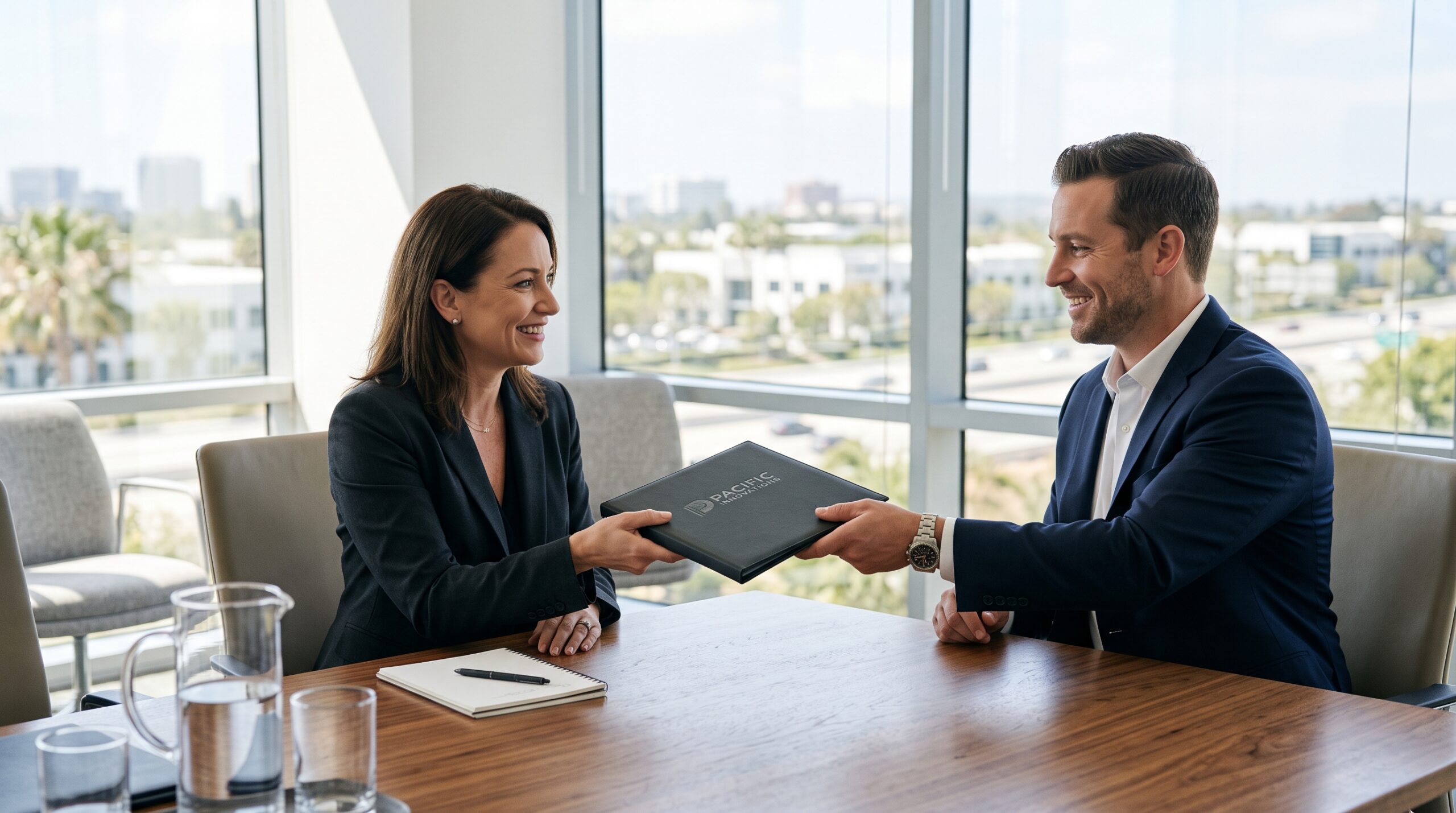
For B2B sales teams in Irvine, the pitch folder you hand across the table matters almost as much as the pitch itself. A custom presentation folder organizes your proposals, case studies, and pricing sheets into a single, branded package that reinforces your credibility before you say a word. This guide covers what makes a sales folder effective, how to design one for your specific industry, and what you should expect to pay from an Irvine commercial printer.
Why Presentation Folders Still Work in a Digital Sales Process
You might assume that iPads and PDFs have replaced printed collateral. In B2B sales, that’s not the reality. Buyers are still handed physical materials in boardrooms, at trade shows, and during site visits. A well-made folder does two things a screen cannot: it forces the prospect to handle your brand, and it stays on their desk long after you leave.
Consider the typical sales cycle in Irvine’s key industries—medical device manufacturing, software, financial services, and aerospace. Deals involve multiple decision-makers. Your folder becomes the artifact that gets passed from the procurement manager to the CFO. If it’s flimsy or generic, that’s the impression you leave. If it’s a custom presentation folder with a matte finish, spot UV logo, and internal pockets that actually hold documents without tearing, you look like a team that pays attention to details.
What a Custom Presentation Folder Should Do for Your Sales Team
Before you brief a printer, define the job the folder has to perform. A folder for a quarterly investor update is not the same as a folder for a trade show giveaway. Here are the core functions you should expect:
- Organize the narrative. Your folder should have dedicated pockets for the proposal, technical specs, and your business card. The order of those pockets guides how the prospect reads your materials.
- Reinforce brand recall. A folder printed with your logo, brand colors, and a tagline ensures that when the prospect digs through their bag later, they know exactly who gave it to them.
- Signal production quality. The weight of the paper and the finish of the print tell the prospect how you operate. A 12-point cover stock with a soft-touch laminate feels expensive because it is.
- Create a call to action. Print a QR code on the inside flap that links directly to a personalized landing page for that prospect. This bridges the physical and digital follow-up.
Who Should Use Custom Presentation Folders
Not every sales team needs a custom folder. If you sell low-cost transactional products, the cost per folder might not justify the investment. But if your average deal size is above $10,000, or if your sales cycle spans more than two months, a custom folder is a reasonable expense. The teams that benefit most are those in consulting, commercial real estate, enterprise software, healthcare services, and manufacturing—all sectors with a strong presence in Irvine.
The Difference Between a Pocket Folder and a Presentation Folder
A standard pocket folder has two or four inside pockets and is often used for simple document storage. A presentation folder is typically printed on heavier stock, has a more structured construction, and may include features like a business card slot, a CD or USB holder, or a glued tab. For sales use, you want the presentation grade. It holds up better when handled repeatedly and gives you more room for printing your message on the inside panels.
How to Design a Sales Folder That Gets Kept
Design is where most sales folders fail. They end up looking like a generic office supply product with a logo slapped on the front. To avoid that, follow a few practical rules.
First, use the front cover to state a benefit, not just your company name. Instead of a logo centered on a white background, try a full-bleed image of your product in use, with your logo placed in a corner. The prospect should understand what you do within two seconds of looking at the cover.
Second, print on the inside. The inside of the folder is prime real estate that most companies leave blank. Use the inside back panel for a summary of your value proposition or a timeline of your implementation process. The inside front panel is a good spot for a short client testimonial with a headshot.
Third, think about the pocket configuration. A standard 9×12 folder with two pockets works for most proposals, but if you include a bound document or a thick booklet, you need a folder with a wider spine or a specialty construction. Ask your printer about options like a glued pocket or a multi-panel design.
Paper Stock and Finish Choices That Matter
The paper stock you choose affects both the feel and the durability of the folder. For a sales folder that will be handled by several people, use a 12-point or 14-point cover stock. Anything lighter feels cheap and will not stand up in a briefcase. For the finish, a matte aqueous coating is a safe choice—it reduces glare and feels professional. If you want to highlight a logo or a specific element, add a spot UV gloss over that area. The contrast between matte and gloss is subtle but effective.
Eco-friendly options are also available. Many commercial printers, including Main Graphics in Irvine, offer recycled stocks and soy-based inks. If your company has sustainability goals, a folder made from recycled material is a talking point during your pitch.
Cost Factors for Custom Presentation Folders in Irvine
Pricing for custom presentation folders varies widely based on quantity, size, paper stock, and finishing options. Here is a rough guide to what you should budget:
| Quantity | Standard 9×12, 12pt, Full Color | Premium (14pt, Soft-Touch, Spot UV) |
|---|---|---|
| 250 | $1.80 – $2.50 per folder | $3.00 – $4.50 per folder |
| 500 | $1.20 – $1.80 per folder | $2.00 – $3.00 per folder |
| 1,000 | $0.90 – $1.30 per folder | $1.50 – $2.20 per folder |
| 5,000+ | $0.60 – $0.90 per folder | $1.00 – $1.50 per folder |
These prices assume standard die-cutting and folding. Custom shapes, foil stamping, embossing, or a special pocket configuration will add to the cost. Setup fees for die-cutting are usually a one-time charge between $75 and $150. Turnaround time from an Irvine printer is typically 5–7 business days for standard production, plus shipping.
If you are ordering for a one-time event like a trade show, a shorter run of 250 to 500 folders is fine. If this is a standard part of your sales kit, order at least 1,000 to bring the unit cost down. Just remember that if your branding changes, you are stuck with the old stock.
Common Mistakes When Ordering Presentation Folders
Sales teams often make the same errors when they order folders. Knowing these ahead of time saves you a reprint cycle.
- Designing without the die line. Your printer can provide a die line template. Ignoring it means your artwork will be cut off or placed too close to the fold.
- Using low-resolution images. A logo pulled from a website is 72 DPI. Print requires 300 DPI. Blurry logos on a folder look worse than no logo at all.
- Forgetting the business card slot. A folder that does not hold your business card means the prospect has to search for your contact info. That is a small friction point that is easy to eliminate.
- Overstuffing the folder. If you put 40 pages in a folder designed for 10, it will bulge and look sloppy. Edit your collateral before you print the folder, not after.
- Skipping the proof. Always request a physical proof before the full print run. Colors on screen do not match colors on paper, and a proof catches that mismatch.
How to Integrate Folders into Your Sales Process
Once you have the folders printed, you need a system for using them. The folder should not be an afterthought that your reps grab on the way out the door. Build it into your sales methodology.
For a first meeting, the folder should contain a personalized cover letter, a one-page overview of your company, and a case study relevant to the prospect’s industry. For a final proposal meeting, the folder should hold the full proposal, a pricing breakdown, and a contract. The act of pulling a fresh, organized folder out of your bag signals that you prepared specifically for this meeting.
Keep a small inventory of blank folders at your office in Irvine. When a rep needs to assemble a pitch kit, they can print the inserts on demand and slide them in. This approach lets you customize the content for each prospect without reordering folders every time.
Working with a Local Irvine Printer
Working with a local printer like Main Graphics in Irvine has practical advantages. You can visit the facility, feel the paper samples, and approve proofs in person. You also avoid shipping delays and freight costs. A local printer understands the needs of Orange County businesses and can often offer faster turnaround when you are on a tight deadline.
When you request a quote, be specific about your quantities, paper stock preferences, and any finishing options you are considering. Ask to see physical samples of similar folders they have produced. The sample will tell you more about their quality than any online portfolio.
Frequently Asked Questions
How long does it take to get custom presentation folders printed in Irvine?
Standard production usually takes 5–7 business days after you approve a proof. Rush orders can be completed in 2–3 days for an additional fee, depending on the printer’s schedule and the complexity of the job.
What is the minimum order quantity for custom folders?
Most commercial printers require a minimum of 100 to 250 folders for a custom run. Below that, the setup costs make the per-unit price too high. If you only need a few, consider a digital short run, but expect to pay a premium per folder.
Can I print inserts for the folders myself?
Yes. If you have a good office printer, you can print proposal pages and case studies on demand. Just make sure the paper size matches the folder’s pocket dimensions. Standard 8.5×11 sheets fit most 9×12 folders. For a polished look, consider having your inserts professionally printed as well, so the paper weight and finish match the folder.
Visit Main Graphics | Commercial Printer, Brochures, Banners, Business Cards, Poster Print Shop






Post Comment